Home Automation Ideas
15 Smart Home Automations People Actually Use
Home automation ideas should make life easier. They should save time, cut small daily tasks, and help your home feel simple. They should not leave you with ten apps and a pile of remotes.
A well planned smart home can link lights, shades, sound, TVs, locks, cameras, and climate controls. These systems can then work as one. That is where smart home tech starts to feel useful.
CEDIA highlights one-touch scenes, like a Movie Night scene that sets the lights, sound, and blinds at once. A Control4 system can also link several home systems to one command. As a result, one button can do the work of many steps.
If you want useful home automation ideas, start with your normal day. The best scenes are built around things you already do. Here are 15 smart home automations people can use in real life.
What Is Home Automation?
Home automation lets parts of your home work as a group. You can control them from one app, remote, screen, keypad, voice command, or set time. In some cases, a sensor can also start a scene.
For example, a Good Night scene can turn off lights, lock doors, lower shades, and change the room temp. You do not have to open four apps. You press one button and the home does the rest.
A Control4 system can bring many parts of the home into one place. These may include lights, shades, sound, TVs, locks, cameras, and climate controls. The goal is simple control, not more tech to manage. New to the idea? Start with what a smart home is and how it works.
1. Start the Day With a Good Morning Scene

A Good Morning scene can help your day start with less effort. At a set time, shades can rise and key lights can turn on. The room temp can also change to your morning setting.
Music or the news can start in the kitchen if you want it. Yet the scene does not need to do too much. A few useful steps are often better than a long list.
Control4 scenes can run at the touch of a button or automatically at a set time. So, the morning plan can fit your home and your own routine.
2. Use One Good Night Button
At night, many people walk through the house to check lights and doors. They may also turn off TVs, music, and other gear. A Good Night scene can cut that work down to one step.
One button can turn off lights in shared rooms, stop music, lower shades, and lock supported doors. It can also change the room temp. A hall or bath light can stay on at a low level if needed.
This type of scene is useful because it gives you the same result each night. You do not have to wonder if a light or TV was left on.
Control4 describes a one-button Good Night scene that locks the doors, turns off lights and TVs, and sets a comfortable sleeping temperature.
3. Build an Away Scene

Leaving home can feel like a quick test of memory. Did you turn off the lights? Is the TV still on? Did you lock the door?
An Away scene can handle many of those steps at once. It can turn off chosen lights, stop sound and TVs, lower shades, change climate settings, and lock supported doors. It can also set linked security features as part of the plan.
This is one of the most useful home automation ideas for busy homes. One clear action replaces a list of small tasks.
Control4 gives the example of a Work Day scene that secures the house, locks the doors, and arms security as you leave.
4. Make the Home Welcome You Back
A smart home can also help when you return. A Welcome scene can turn on entry lights, set the room temp, and start music in a key space. This can make the home feel ready as soon as you walk in.
Control4 describes a Welcome scene that greets you with lights that lead the way as you walk in the door. After dark, the home can light the path from the door to the rooms you use first.
On one seaside home featured by Control4, Shultz Audio Video built a single “House On” command that sets the lights to preset levels.
The goal is not to make the house put on a show. It is to remove small steps and make your return feel easy.
5. Create a Movie Night Scene
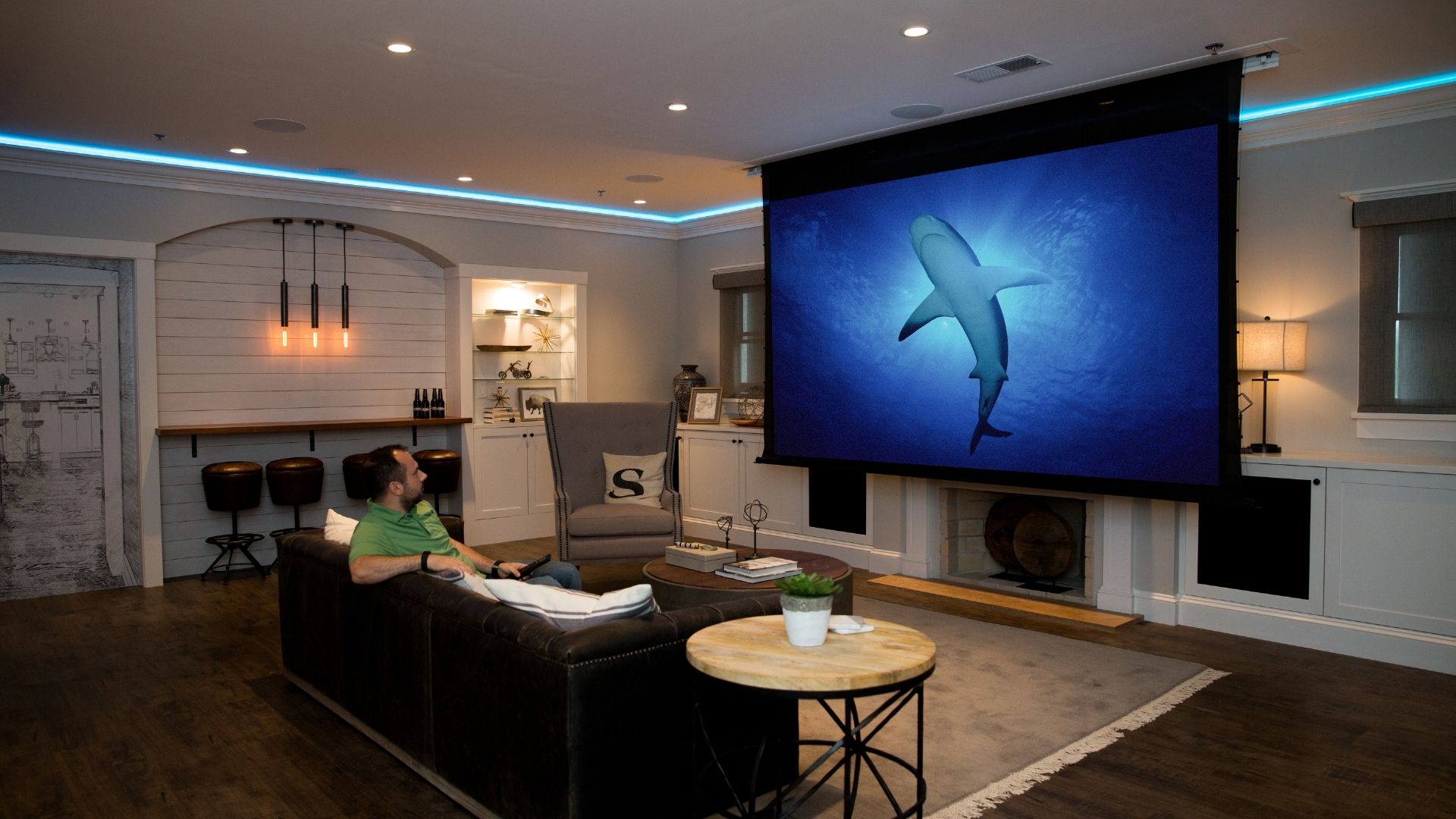
Movie night is a great use of smart home control. A lot has to happen before the movie starts. The TV or projector needs to turn on, the right source must load, the sound must start, and the lights need to change.
One Movie Night command can handle those steps. It can also lower motor shades when they are part of the system. You get the room you want without using several remotes.
CEDIA uses a one-touch Movie Night scene as a classic example of smart home living. The same idea can work in a home theater, media room, or family room.
6. Set Lights for the Way You Live
Smart lights can do much more than turn on from a phone. They can change based on time, a scene, or a sensor. That makes them far more useful each day.
For example, outdoor lights can come on near sunset. Kitchen lights can be bright while you cook and softer later at night. A dinner scene can set several lights with one touch.
Smart lighting can also work with shades, sound, TVs, and security. This is where a full smart home can feel much more natural than a group of stand alone devices.
7. Add Soft Path Lights at Night
Bright ceiling lights can feel harsh in the middle of the night. A smart scene can use low level path lights instead. That may help in halls, on stairs, or near a bath.
A motion sensor can turn on a few lights at a low level. After a short time, the lights can turn off again. The same sensor can use a brighter level in the day.
This is a small change, but it can make the home easier to use. Good smart home ideas often work in the background.
8. Put Motor Shades on a Daily Plan

Motor shades can do more than move from an app. They can open and close as part of a daily scene. This can help with light, glare, comfort, and privacy.
Bedroom shades can rise in the morning. West facing shades can close later in the day when the sun is strong. At night, chosen shades can close for more privacy.
Shades can also work with lights and TVs. For example, a Movie Night scene can lower the shades as the lights dim and the screen turns on. CEDIA includes blinds in its own Movie Night example for this reason.
9. Link Climate Control to Your Routine

A smart thermostat can be useful by itself. Yet it can be even more useful when it works with the rest of the home. The temp can change when you leave, return, wake up, or go to bed.
For example, Away mode can use one temp setting. When you return, the home can go back to a comfort setting. This cuts the need to make the same change each day.
Shultz Audio Video can link supported climate controls to a Control4 system. HVAC repair and mechanical work should still be handled by the right HVAC pro.
Control4 puts thermostats and comfort settings in the same app and touch screens you use for the rest of the home.
10. Use One Button When Guests Arrive
Hosting can mean a lot of small changes. You may want music in the kitchen and patio, softer lights in the great room, and the TV on for a game. An Entertain scene can set those spaces at once.
Later, you can change the mood from the same system. Music can move to other rooms, lights can dim, and outdoor sound can be turned down.
This is a good example of why one smart home system can be easier to use. The tech stays out of the way while you spend time with your guests.
11. Let Music Move With You

Whole home audio lets you choose where music plays. It does not mean every room has to play the same thing. Each area can be its own sound zone.
A morning scene may start music in the kitchen. An Entertain scene can add the patio and living room. Later, a bedroom can play a different source at a different level.
Shultz Audio Video designs whole home audio that can work with a smart home control system. This makes it easy to pick rooms, sources, and volume from one place.
12. Make TV Time a One Touch Task
Watching TV should not take three remotes and a set of steps. Yet many family rooms still work that way. One remote turns on the TV, one runs the sound, and another controls the stream box.
A smart home control system can make this much easier. One Watch command can turn on the right gear, choose the source, and set the sound. One Off command can shut the system down when you are done.
This is one of the most practical home automation ideas. It can make the room easier for family members and guests to use.
Control4 is built to run the TV, sound, and streaming gear from one interface, so the whole family uses the same simple controls.
13. Link the Front Door to the Smart Home

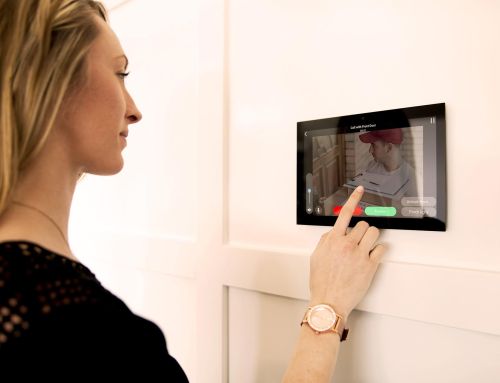
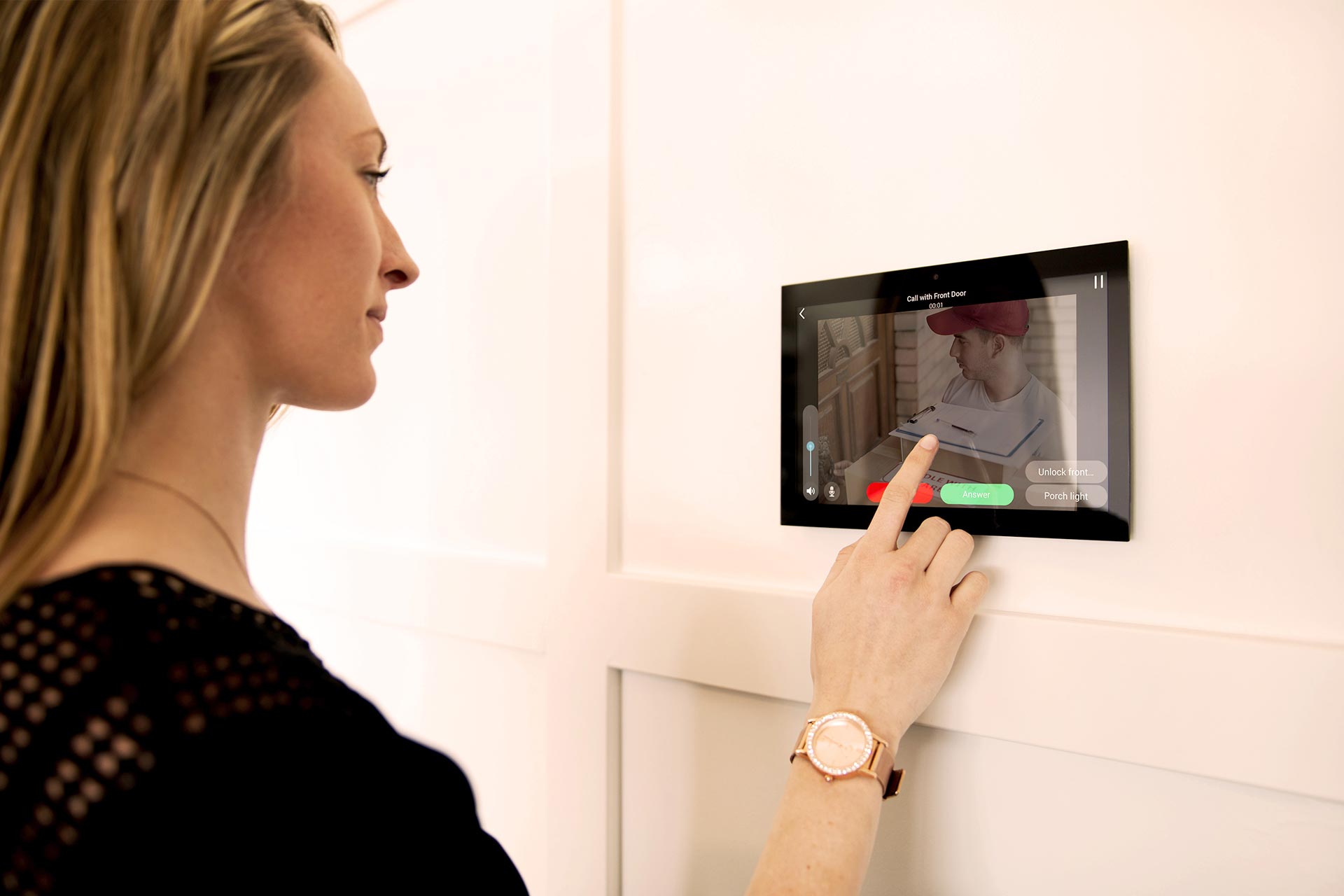
A video doorbell can do more than show who is at the door. When it is part of a full smart home, it can work with other supported systems. This may include lights, locks, gates, or a garage door.
For example, you can see and speak with a guest from a linked screen or phone. You may also be able to control a supported lock or gate from the same system.
Shultz Audio Video has worked with Control4 Intercom Anywhere and other Control4 door tools. The key is safe, clear control of the right entry points.
14. Create a Vacation Mode
Vacation mode can help prepare the home when you will be away for more than a day. One command can change a group of settings based on your plan.
Chosen lights can follow set times. Shades can move on a schedule. Climate settings can change, while cameras and security tools stay easy to check.
The plan should fit the home. Pets, pools, house sitters, and other needs can change what should stay on or off. A good scene should help, not cause new work.
15. Build a Scene Around Your Own Routine
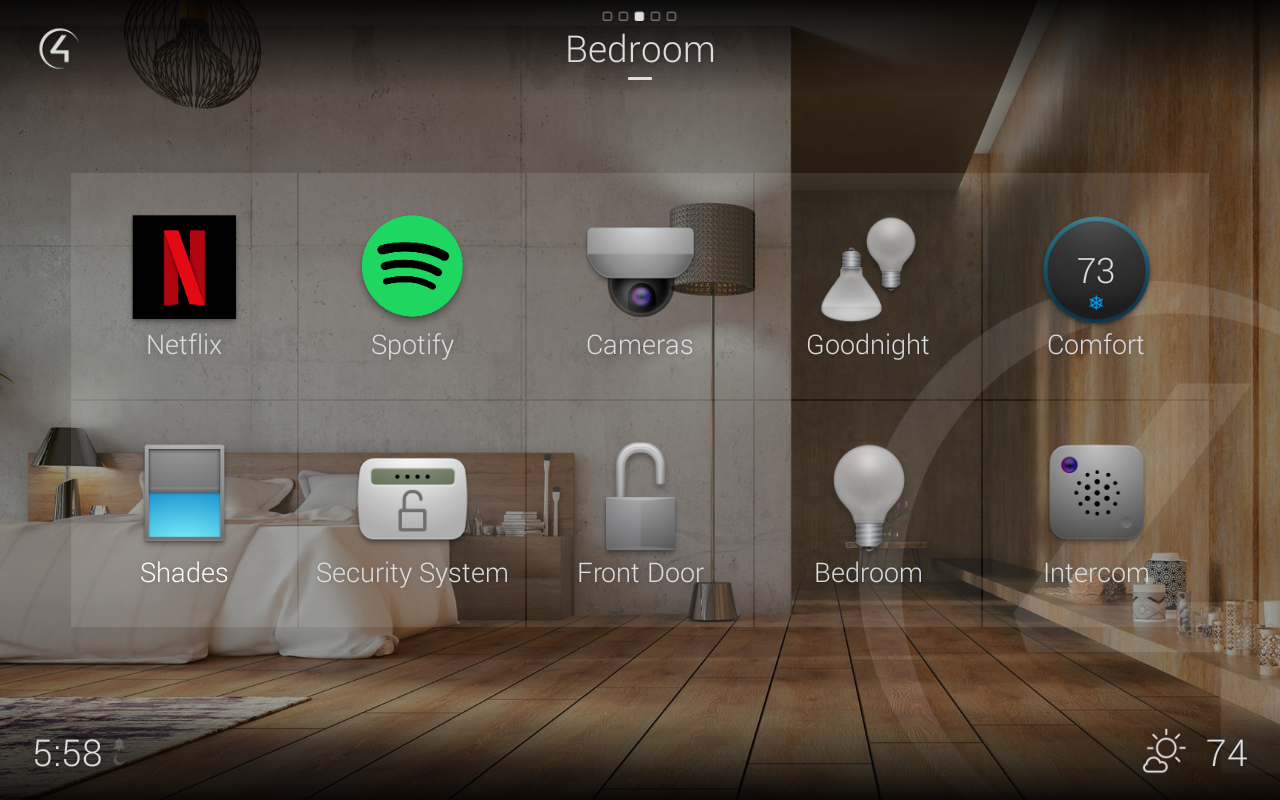
The best smart home scene may be one that is made just for you. It may not have a common name. It just needs to solve a task you do often.
You might want one button that gets the patio ready for dinner. A Work scene could set office lights, shades, and sound. A Game Day scene could turn on chosen TVs and set sound in key rooms.
Start with a task you repeat. Then ask which parts of the home you change each time. If the gear can work together, a smart home pro may be able to turn that task into one scene.
Which Home Automation Ideas Are Most Useful?
The most useful scenes solve a task you do often. Good Night, Away, Movie Night, and one touch TV control are popular because they remove several steps from the day.
Still, each home is different. A family that hosts often may care most about music, lights, and outdoor spaces. A person who travels may care more about locks, cameras, and Vacation mode.
Start with the moments that feel like work. If you use four switches and three remotes each night, that is a good place to start.
What Makes Smart Home Automation Work Well?
A good scene needs more than code. The home network, control system, wiring, and devices all need to work well together. If one key device drops off the network, the scene may not run as planned.
A well planned smart home starts with gear that works together. CEDIA notes that a professional can help make sure devices are compatible, installed correctly, and work together reliably.
Simple control matters too. A button should do what its name says. The user should not need to know what happens in the background.
Can Existing Smart Devices Work With Control4?
Sometimes. Control4 can work with many other brands, but support depends on the exact product and system. A device that says it is smart may not work with every control platform.
That is why the device list should be checked first. Shultz Audio Video can review the gear you have and see what can be linked, what should stay on its own, and what may need to change.
This step can save time and money. It is better to check first than to buy new gear and find out later that it will not work with the rest of the home.
Do You Need to Automate the Whole House at Once?
No. You can start with one room or one need. CEDIA notes that many homeowners start with one room, like the living room or bedroom, and expand over time.
Shultz Audio Video can also build a Control4 system that starts small. You may begin with family room TV control and lights. Later, you can add sound, shades, climate, security, and outdoor spaces.
It still helps to plan for what may come next. A strong network, good wiring, and the right control base can make future growth much easier.
Home Automation Ideas for San Diego Homes

San Diego homes come in many shapes and sizes. A condo has different needs than a large custom home. An older home may also need a different plan than a new build.
A coastal home may place more focus on shades and outdoor living. A large home may need more WiFi access points, sound zones, and cameras. A remodel may need a mix of new wire and gear that is already there.
Shultz Audio Video designs and installs Control4 smart home systems across San Diego County. The team also works with home networks, lighting control, whole home audio, home theater, security, TVs, and outdoor AV.
Control4 features one of these projects, a seaside home in La Jolla, in its idea gallery. Shultz Audio Video tied together smart lighting, climate control, security, Intercom Anywhere, multi-room audio, voice control, and motorized blinds, all run from one touch screen and app.
The value comes from making those systems work as one. The better question is not, “How many smart devices do I own?” It is, “Does my home work the way I want it to?”
How to Start Planning Your Smart Home
Start with your day, not a product list. Think about what you do when you wake up, leave home, watch TV, host guests, and go to bed.
Next, note the steps you repeat. Those are often the best tasks to automate. A pro can then review the home, the network, the gear you have, and the plans you have for the future.
Finally, keep the controls simple. A good smart home should feel easy for everyone in the house to use. It should not demand more steps than it saves.
Make Your Home Work Around the Way You Live

The best home automation ideas are not about showing off tech. They are about making normal life easier. A good scene removes steps and helps the home feel simple.
A morning scene can help start the day. An Away scene can handle tasks when you leave. Movie Night can turn a group of devices into one easy experience.
Most of all, the smart home should fit your habits. You should not have to change the way you live to make the system work.
Shultz Audio Video helps San Diego homeowners plan Control4 systems around the way they use their homes. Lighting, shades, sound, video, networks, security, and other supported systems can be set up to work together.
If you want a smarter home, start with the tasks you repeat each day. Those small moments often show where automation can help most.