Public Address System
How to Choose the Right PA System for Your Business
You need to reach your staff, but half the team cannot hear the message. The front desk sends a page, but the back room stays silent. Meanwhile, customers look around because the speakers are too loud or unclear.
A well-planned public address system helps solve these problems. It lets your team share clear messages in the right places. And it can make daily work less stressful for both staff and guests.
For businesses in San Diego, the best PA system is not always the loudest one. It is the system that fits your space, your noise levels, and the way your team works.
What Is a Public Address System?

A public address system, or PA system, uses microphones, speakers, and audio equipment to send spoken messages to a group of people. Businesses use these systems for paging, daily updates, guest calls, and other notices.
Some setups also play background music. Others send a message to one room, one floor, or the full site. The right design depends on who needs to hear each call and where they work.
A PA system is not the same as a conference room mic or a portable event speaker. An installed business system must cover its planned areas with clear speech during the workday.
What Types of Businesses Need a PA System?

Many businesses can benefit from paging, but each has a different need. A store may want short calls at the front. Warehouses must reach teams who work near loud machines.
Warehouses and Distribution Centers
Large work areas can be hard to cover. Forklifts, fans, and high ceilings may hide spoken words. A warehouse PA system can help teams hear shift changes, delivery updates, and calls for staff.
Speaker type and location matter most here. Paging horns may suit noisy work zones, while offices may need smaller speakers. A good plan tests the sound where people do their jobs.
Retail Stores and Shopping Centers
Stores may need to page staff, share closing times, or make guest notices. Some also use music during the day. A zoned system can send a page without making every part of the store too loud.
Larger shopping centers have more zones than small shops. That is why the layout should guide the system, not just the square footage.
Schools, Campuses, and Training Centers
Schools use public address systems for bell times, morning news, room calls, and school events. A campus may also need messages in halls, gyms, outdoor areas, and shared spaces.
These sites may have needs that go beyond day-to-day paging. Plans for urgent alerts must be reviewed as part of a separate safety and code process.
Medical Offices and Care Facilities
A clinic may need to call staff to a room or share a short update. Care sites may also need messages across halls and shared areas. Speech should be clear without adding stress for patients.
Some medical sites need a much broader alert plan. In those cases, paging should be assessed alongside the building’s other systems and safety needs.
Hotels, Restaurants, and Event Venues
Hotels may use paging for staff and service teams. Event sites may need guest updates or calls that reach more than one room. Restaurants often want music with a way to make a clear page when needed.
If your venue also uses music, see our restaurant sound system guide. It explains how room layout and audio zones shape the guest experience.
Gyms and Fitness Centers
A gym may need class notices, closing calls, and staff pages. Yet the weight room, lobby, and class studio may all need different volume levels. One loud setting rarely works for every area.
Our gym sound system guide looks at music, coach audio, and speaker placement. A PA plan should work with those needs instead of getting in the way.
Offices, Churches, and Shared Buildings
An office may need to reach staff on more than one floor. Churches and community sites may use paging for classes, events, and daily notices. Shared buildings may need to keep tenant messages in set areas.
In each case, a clear map of who hears each page is key. It can stop a message from going to rooms where people do not need it.
What Are the Main Parts of a Commercial PA System?
A good setup starts with a way to speak. This may be a desk microphone, a wall station, or a paging input from a phone system. The right choice depends on who makes each call.
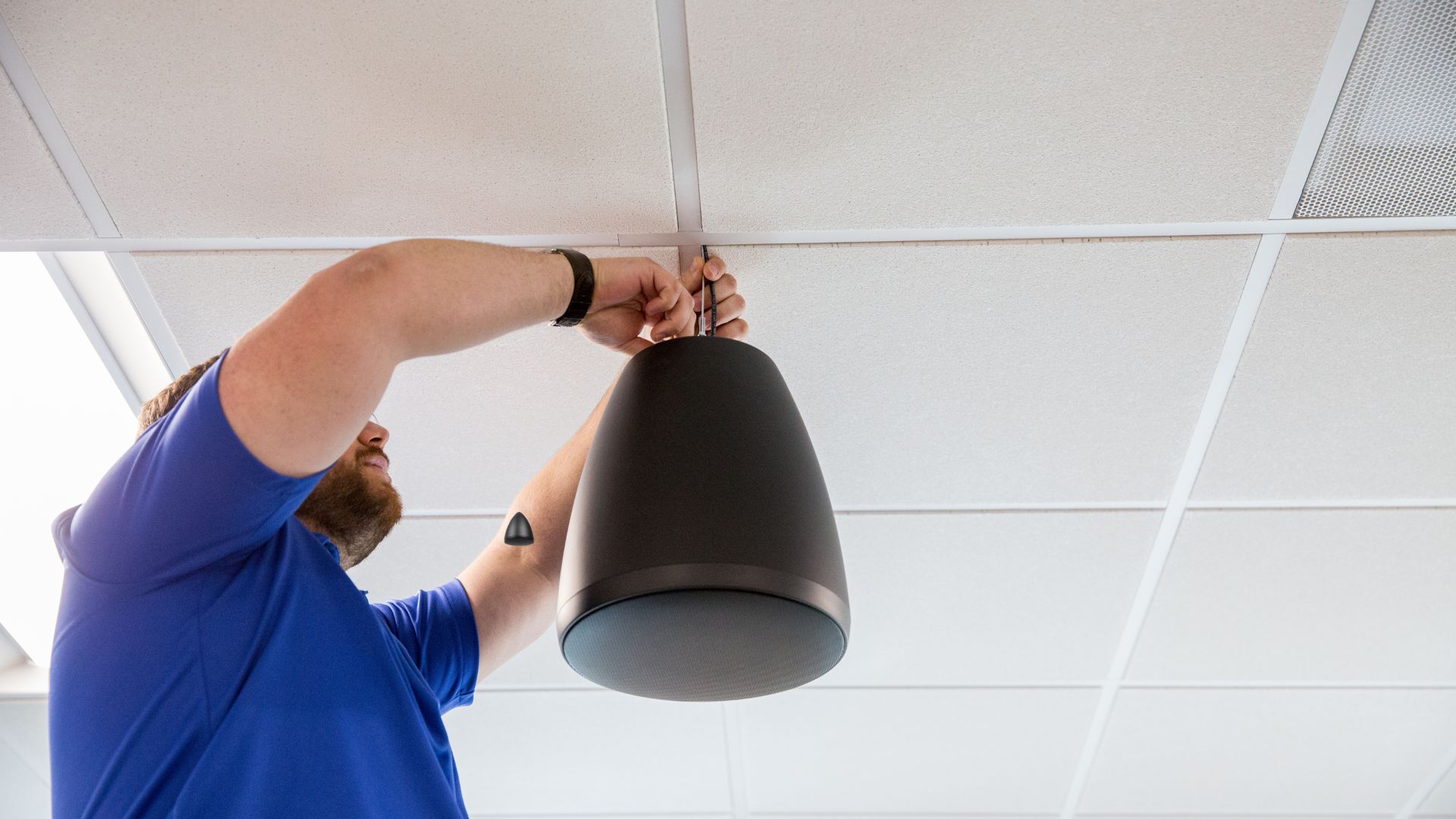
Next, speakers carry the message to the right space. Ceiling speakers may suit stores and halls. Wall speakers can help in large rooms, while horns may work better in loud work areas.
Amplifiers give the speakers the power they need. Audio controls and processors help manage sound levels, sources, and zones. The system also needs speaker wiring or a network link, based on its design.
For a wider look at these parts, read our commercial sound system installation guide. A PA system puts a special focus on clear speech and fast paging.
Why Audio Zones Matter

An audio zone is an area with its own sound control. For example, a store may have zones for the sales floor, stockroom, and office. A page may go to one zone or several, based on its purpose.
This helps staff send each message to the right people. A call for a stockroom worker does not need to stop a client meeting. But a closing notice may need to reach the whole store.
Zones can also help with music. For example, a cafe may play soft music in one space while keeping a back room ready for staff pages. The system should make these choices easy.
Choose Speakers for Speech, Not Just Volume

Loud sound is not always clear sound. If a room has a lot of echo, turning up the level can make words harder to follow. The same can happen when speakers face the wrong way.
An AV team should check ceiling height, room shape, noise, and where people stand. The plan should also cover outdoor areas and open work floors. Sound can fade or spread too far in these spaces.
The goal is even speech coverage. People should hear the words without needing to stop work or strain to listen. More speakers alone will not fix a poor layout.
Why Shultz Audio Video Uses AtlasIED PA Solutions
Shultz Audio Video uses AtlasIED products for commercial audio and PA needs. AtlasIED makes speakers, paging devices, amplifiers, and building communication systems for many types of sites.
Its building communication and mass notification range covers routine messages as well as more advanced ways to reach people. The range includes IP endpoints and larger communication platforms for sites with wider needs.
That does not mean every site needs a campus-wide system. A small store may need simple paging. Larger sites may need more zones, inputs, or network tools. Shultz can assess the right scale for the project.
AtlasIED Atmosphere Amplifiers for Business Audio
For system power, Shultz uses AtlasIED Atmosphere amplifiers. An amplifier drives the speakers, so its size and setup must match the system. The right match helps speech stay clear across each zone.
AtlasIED’s Atmosphere range includes AZA network amplifiers and AZP smart amplifiers. The AZA line offers four-channel options for commercial audio. For larger or more complex plans, AZP models add more sound tools.
Some Atmosphere AZA models can serve 70V or 100V speaker lines. These are common in sites with many speakers. They can also support a mix of paging and background music, based on the full system design.
The brand is one part of the plan. Shultz still needs to match the amp to speaker loads, the number of zones, and the daily tasks of the staff. The right fit is more useful than the longest feature list.
PA System vs. Emergency Notification System

A standard PA system is often built for day-to-day calls. An emergency notification system has a different role. It may need special equipment, backup plans, links to other systems, and code review.
AtlasIED offers products for both daily building messages and larger mass notification needs. But a basic music and paging setup is not, by itself, a certified life-safety system.
If your site needs emergency alerts, make that part of the first meeting. The final design must meet the rules and approvals that apply to the building and its use.
What Should You Ask Before Buying a PA System?
Start with a map of your space. Note each room, floor, outdoor area, and noisy work zone. Then ask where a page must go and who can send each page.
Think about the normal day, not just rare events. Will staff page from a desk, a phone, or both? Does the system need music? Are some rooms meant to stay quiet during routine calls?
Also ask how the system may grow. A new floor or warehouse wing can change the plan. Good wiring and spare capacity can make later changes easier and less costly.
Common Mistakes to Avoid
Buying speakers before checking the room is a common error. A speaker that works well in a lobby may fail on a loud shop floor. Each area needs the right type and location.
Another mistake is giving every page the same reach. When all messages go to every room, people may tune them out. Zones make paging more useful and less disruptive.
Poor staff controls can cause trouble too. If a page takes five steps, the team may stop using the system. Simple controls and staff training help make the upgrade worth it.
How Shultz Audio Video Can Help

Shultz Audio Video designs and installs commercial AV systems for businesses in San Diego County and nearby areas. Its team can review your space, your current audio, and the type of messages your staff needs to send.
First, Shultz makes a clear site plan. Next, the team can select speakers, amps, controls, and zones that suit the space. The team then installs, tests, and explains how to use the system.
You can learn more about the process through our AV consulting and design services. The goal is to give your staff a system that makes daily calls simple and easy to hear.
Make Every Message Count

If your staff cannot hear a page, it does not help anyone. A clear public address system lets your team share the right message without filling every room with noise.
Shultz Audio Video can help you plan a PA system that fits your building and the people in it. Schedule a commercial AV consultation to review your space and your paging needs.